
Students
Open in AdminApprove registrations and manage learner profiles.
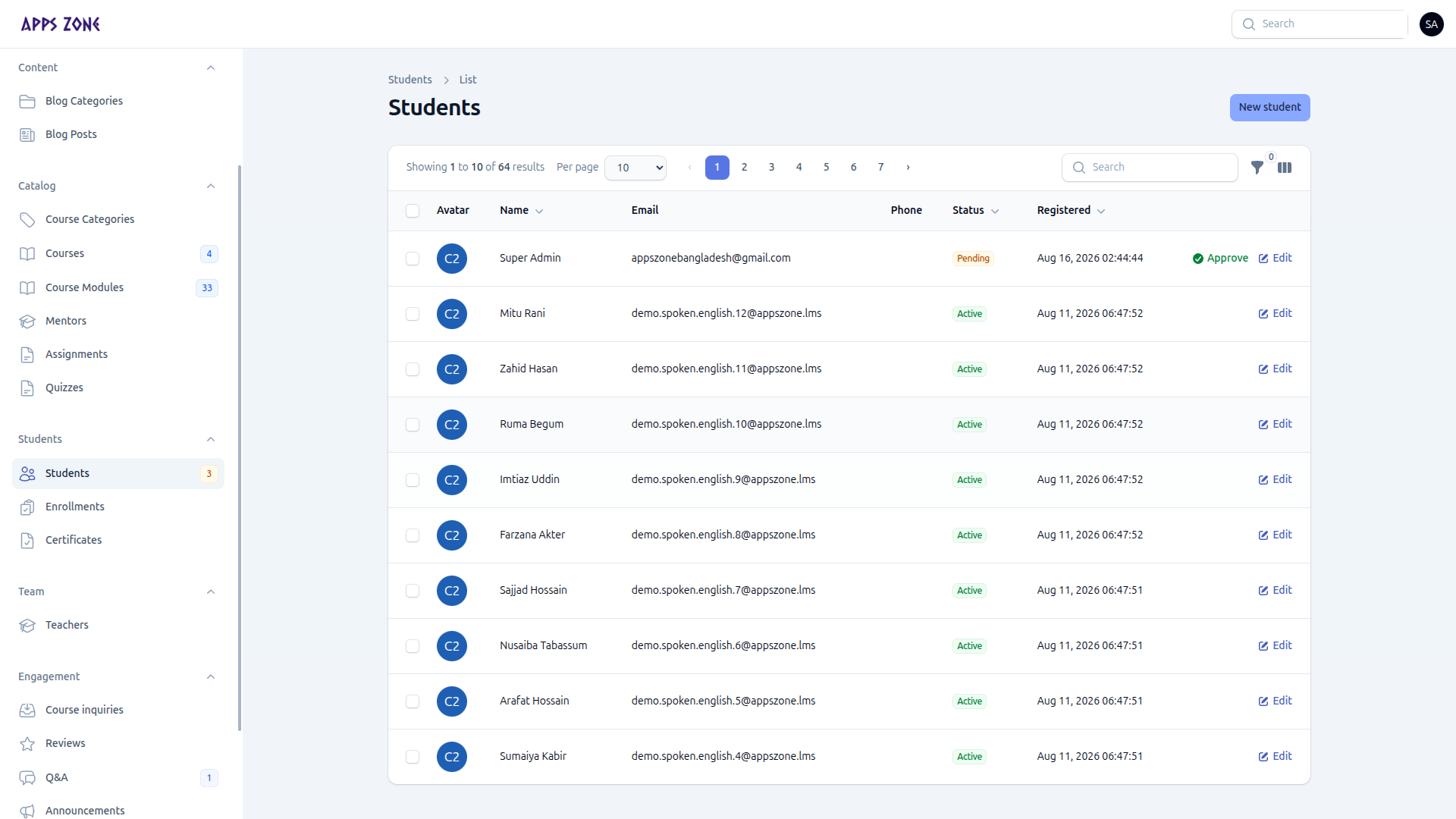
A student record is a profile attached to a login user. Status is the gate to the student panel.
The sidebar badge is the pending count.
Approval flow
Student registers at /student/register
       ↓
Profile created with status = Pending
       ↓
Student is held on /student/pending-approval
       ↓
You click Approve
       ↓
Status = Active — full student panel
Approve from any of:
- The Approve row action (pending rows only)
- The dashboard Pending registrations widget
- Bulk Approve selected
That sets approved_at and approved_by.
| Status | Panel access |
|---|---|
| Pending | Pending-approval page only |
| Active | Full student dashboard |
| Inactive | Blocked |
| Suspended | Blocked, with a suspension message |
Create or edit
New student links a user account that does not already have a student profile, then sets status, phone, gender, date of birth, education, address, avatar, bio, and guardian name/phone.
Bulk announcement
Select rows and Send announcement to compose a notice (optional email copy) for those students.