
Dashboard
Open in AdminTriage pending work from widgets before opening a resource table.
The dashboard is the operational home screen. It is built for triage, not marketing.
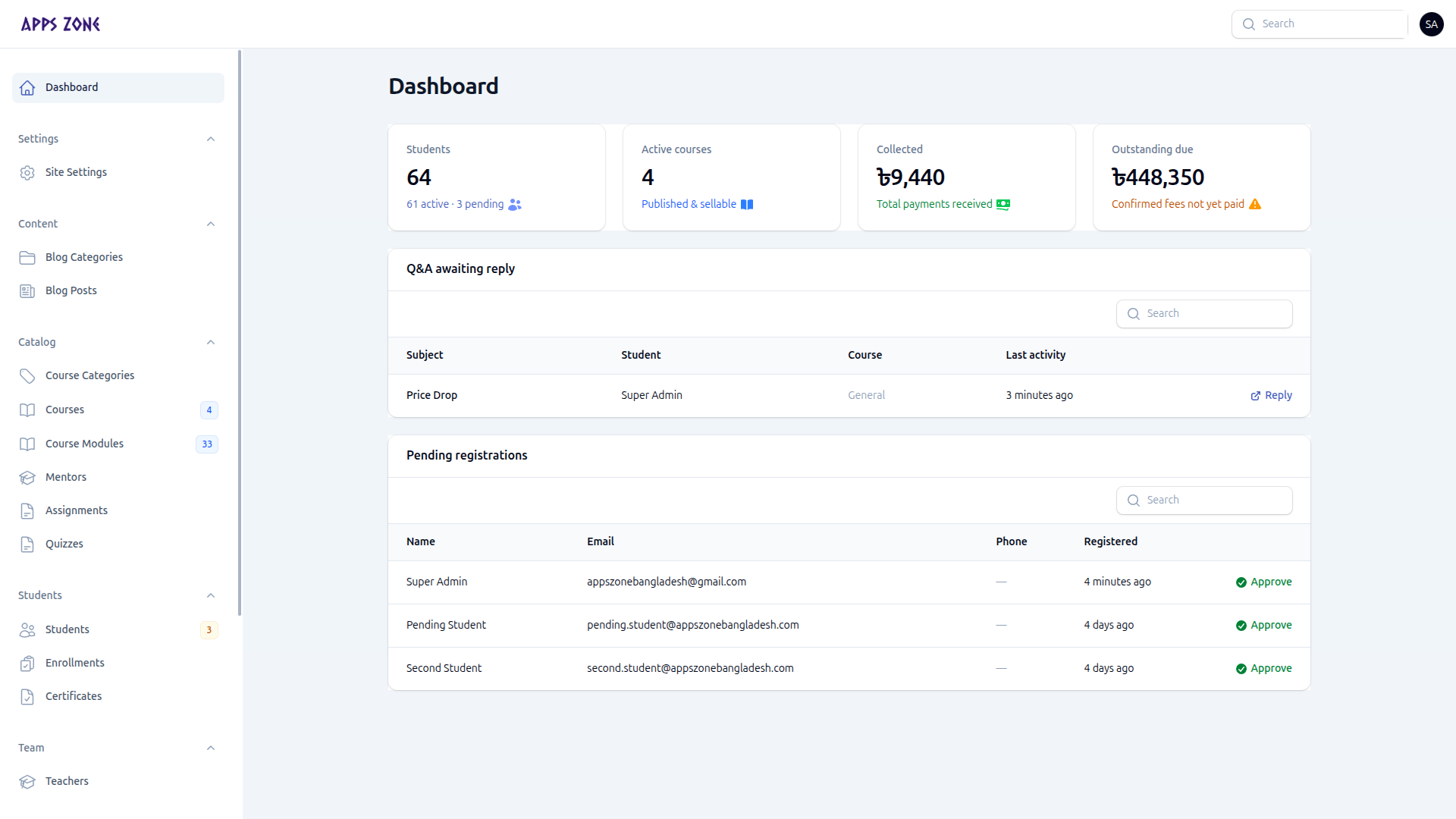
Stats
Four cards summarize the platform (hidden from teacher-only accounts):
| Card | Meaning |
|---|---|
| Students | Total profiles, with active vs pending |
| Active courses | Published and sellable courses |
| Collected | Sum of recorded payments |
| Outstanding due | Confirmed fees not yet paid |
Widgets
Widgets only appear when there is work.
Q&A awaiting reply
Open conversations that still need a staff message. Reply opens that thread at /admin/conversations.
Pending registrations
New student accounts with status Pending. Approve activates the account so the student can leave the pending-approval screen and use the student panel.
Follow-ups due
Discount requests whose follow-up date is today or earlier. Open goes to the request (this resource is hidden from the sidebar).
Suggested first 10 minutes
- Approve or reject pending students.
- Reply to open Q&A.
- Open any follow-ups due.
- Then work the rest of the sidebar from badges.