
Assignments
Open in AdminCreate coursework, collect submissions, and grade them.
Assignments are tasks students submit for review. Attach them to a lesson so they appear in the learning player, or leave the lesson blank for course-level work.
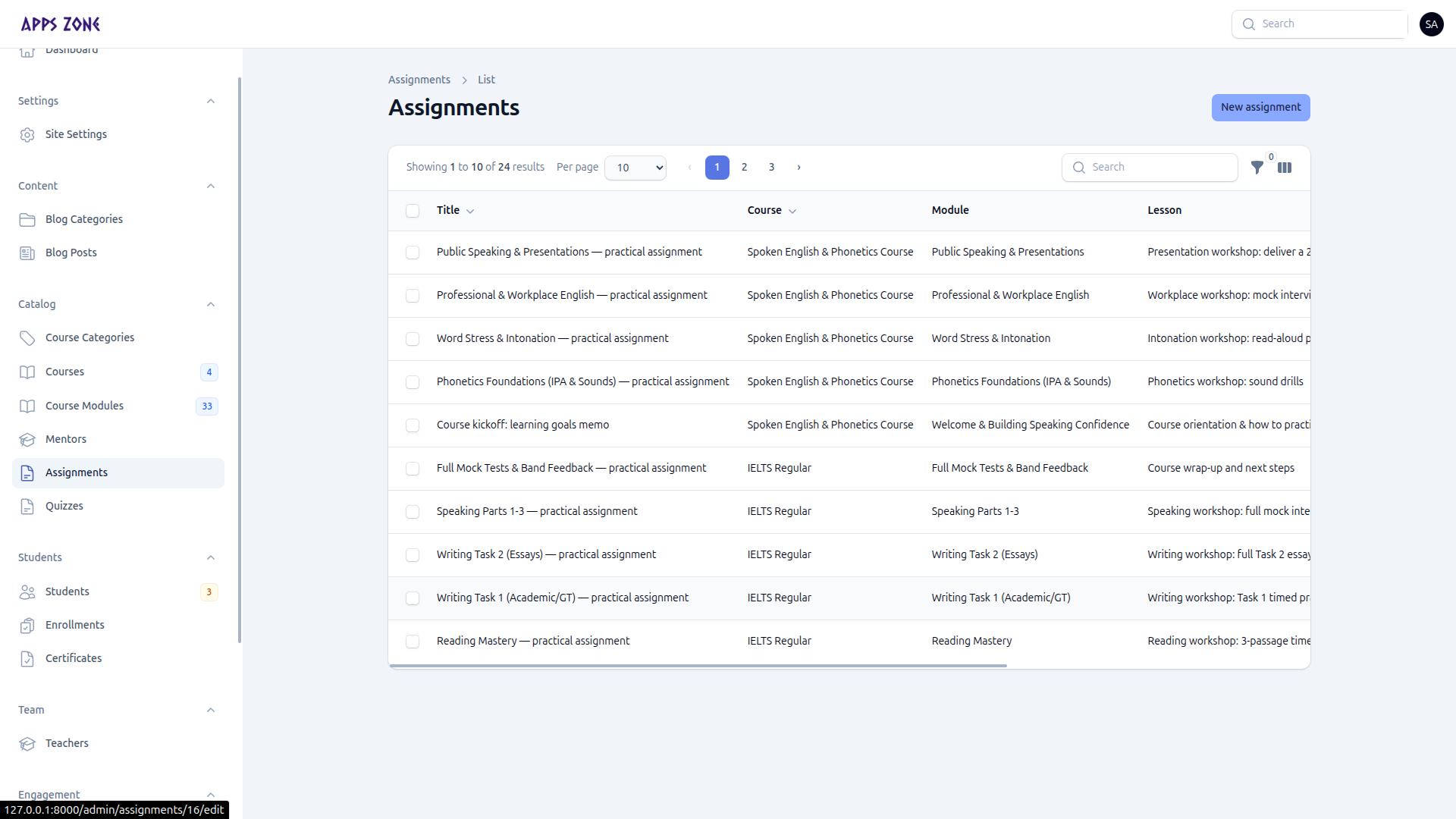
Create an assignment
- Open Catalog → Assignments and click New assignment.
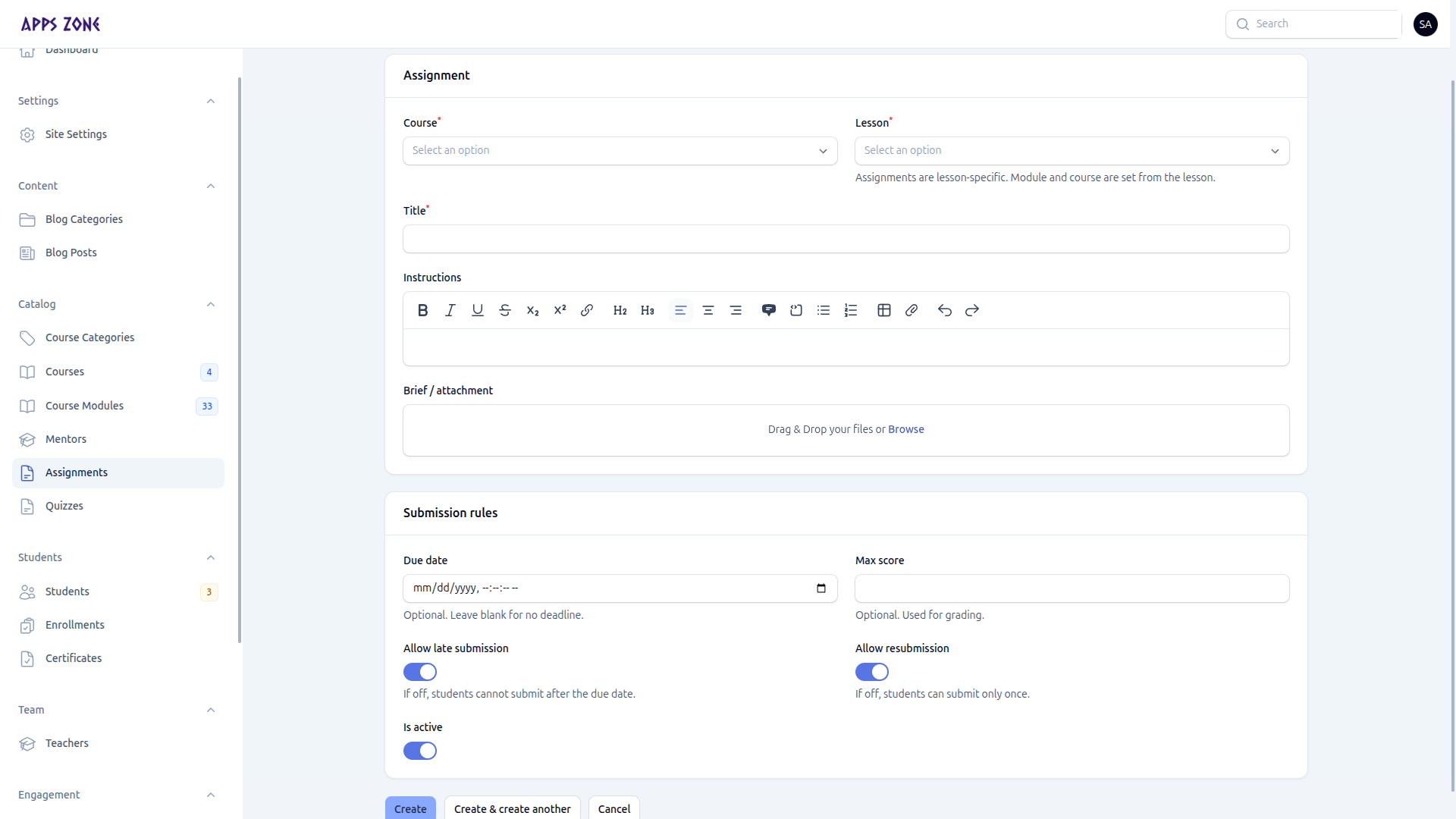
- Assignment card: course, optional lesson, title, instructions, optional brief file.
- Submission rules: due date, max score, allow late submission, allow resubmission, is active.
- Create.
Brief files are private. Students download them through /downloads/assignment-briefs/{id} after they are enrolled.
Grade submissions
Open the assignment and scroll to Submissions. For each row you can:
- Open Details
- Download the file via the authorized download route
- Grade with a score and feedback (records who graded and when)