
Mentors
Open in AdminPublic instructor profiles shown on course pages. Distinct from teacher logins.
Mentors are public profiles (photo, bio, expertise). They are not login accounts.
Teacher logins live under Team → Teachers. Attach mentors to a course on the course Content tab so they appear on the public course page.
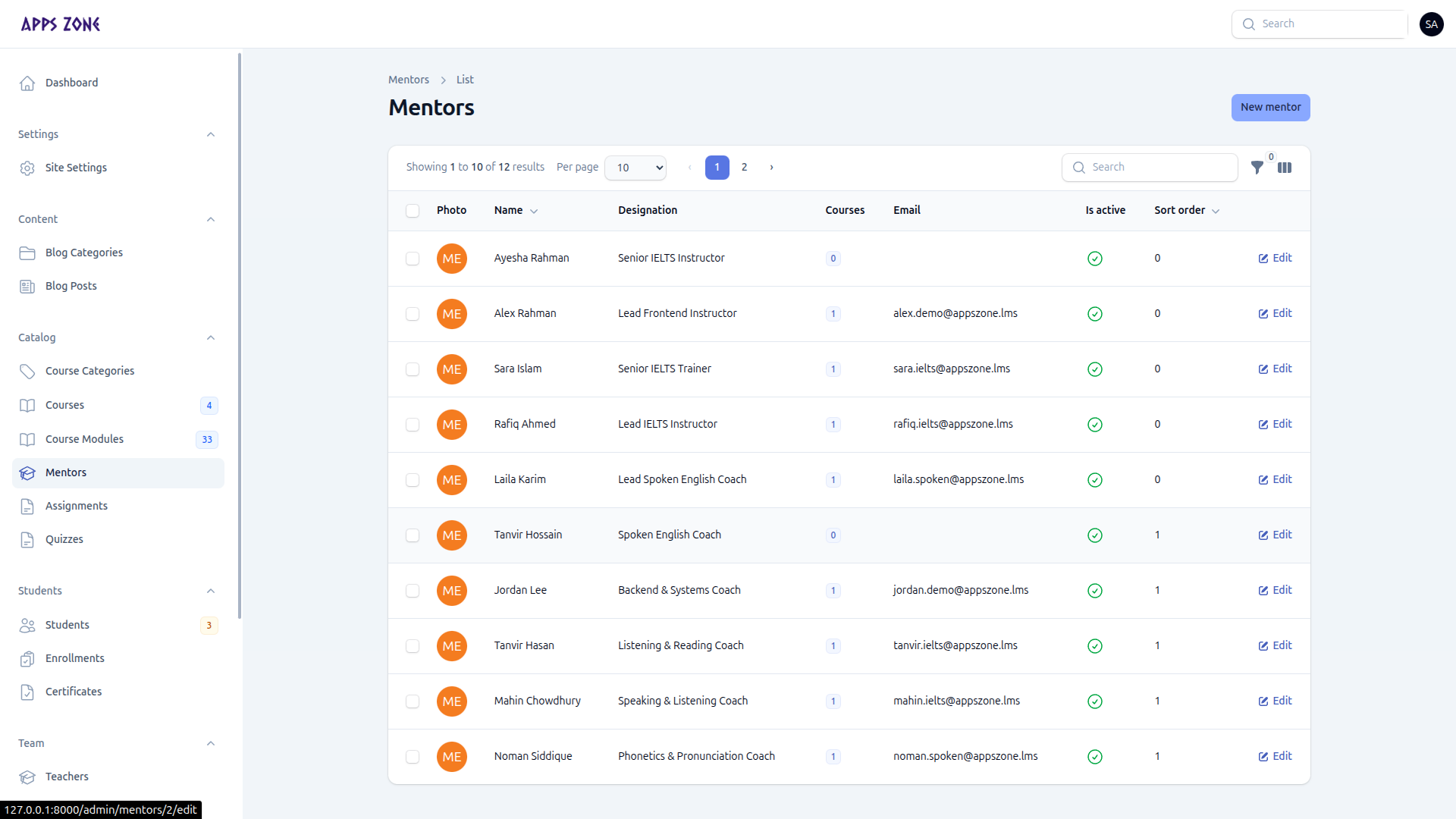
Create a mentor
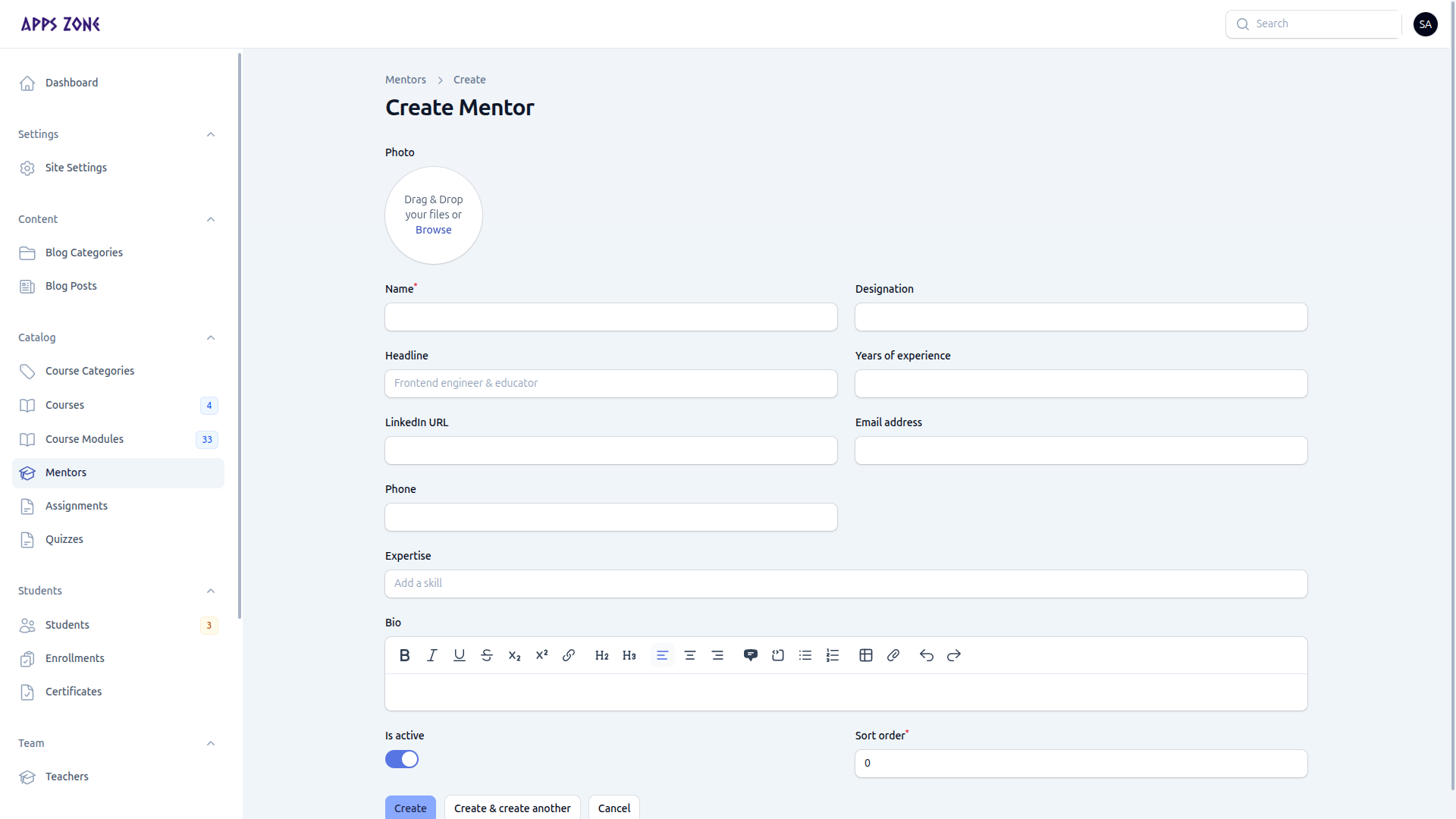
- Open Catalog → Mentors and click New mentor.
- Add photo, Name (required), designation, headline, years of experience, LinkedIn, email, phone, expertise tags, bio, Is active, and Sort order.
- Create.
Inactive mentors stay in the database but are hidden from new course assignments and the public site.