
Quizzes
Open in AdminBuild quizzes with questions, time limits, and passing scores.
Quizzes sit on a course lesson. Students take them in the learning player. Attempts are read-only for staff.
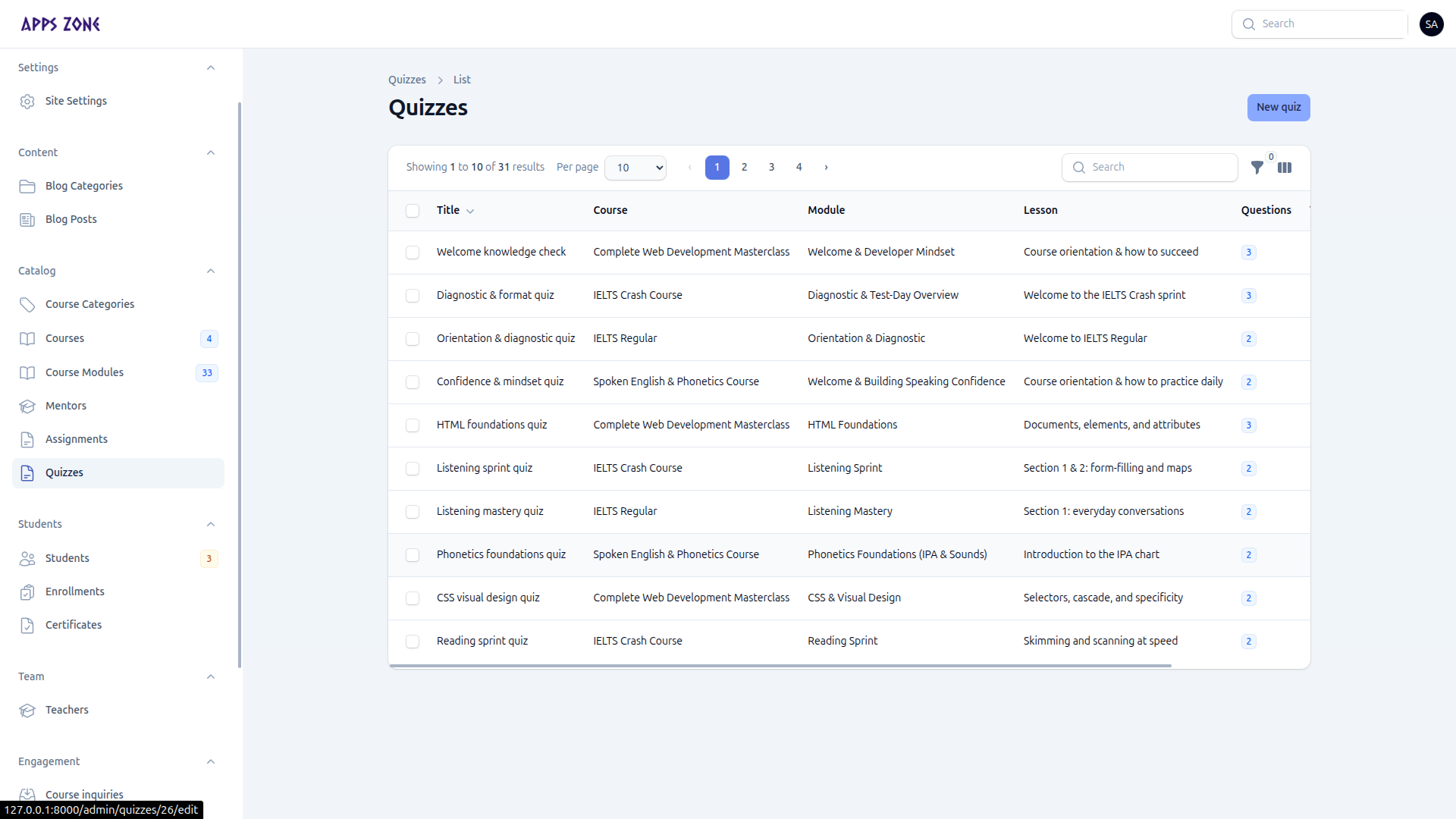
Create a quiz
- Open Catalog → Quizzes and click New quiz.
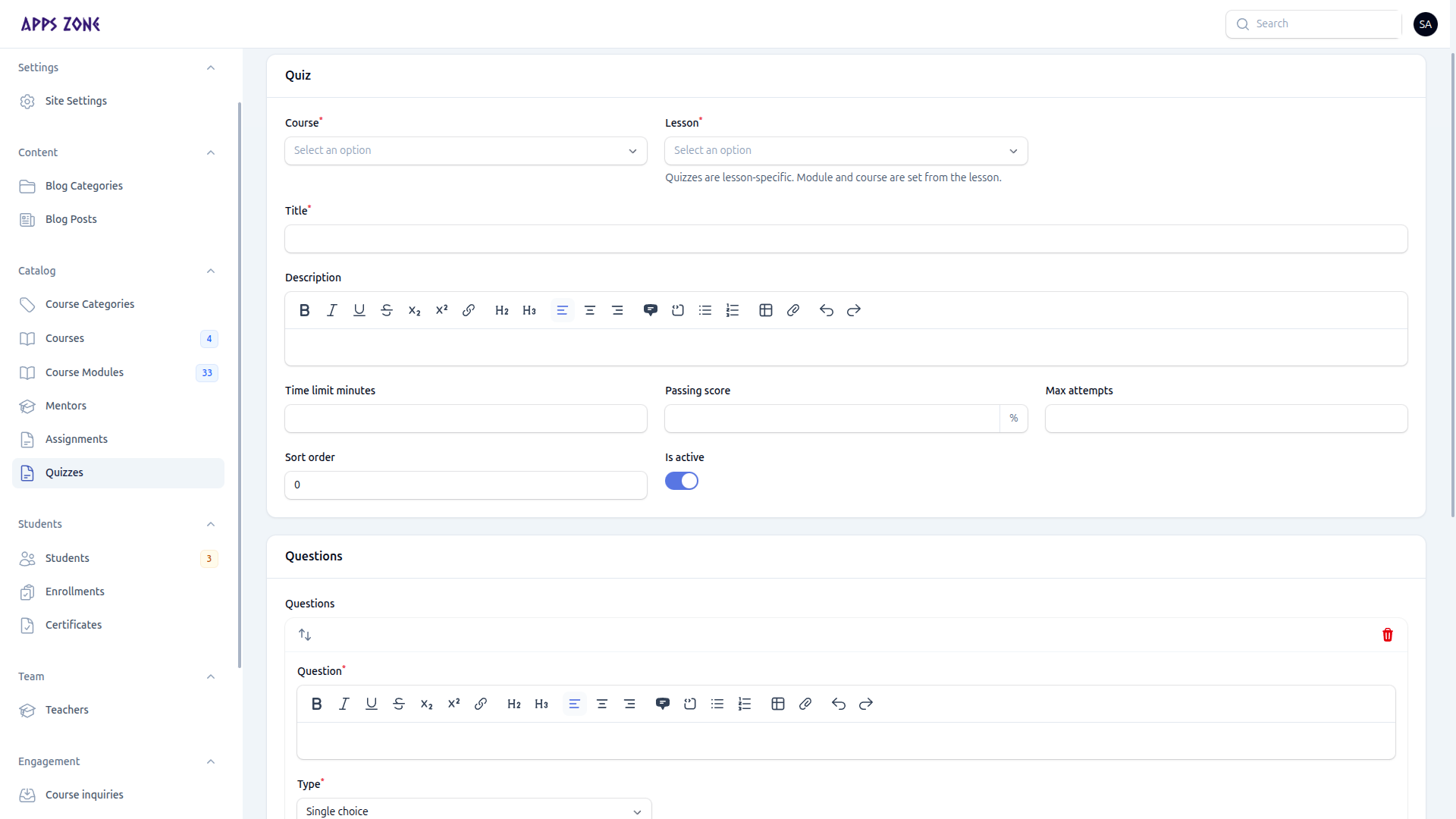
- Set course, lesson, title, description, time limit (minutes), passing score (%), max attempts, sort order, and Is active.
- Add questions in the repeater:
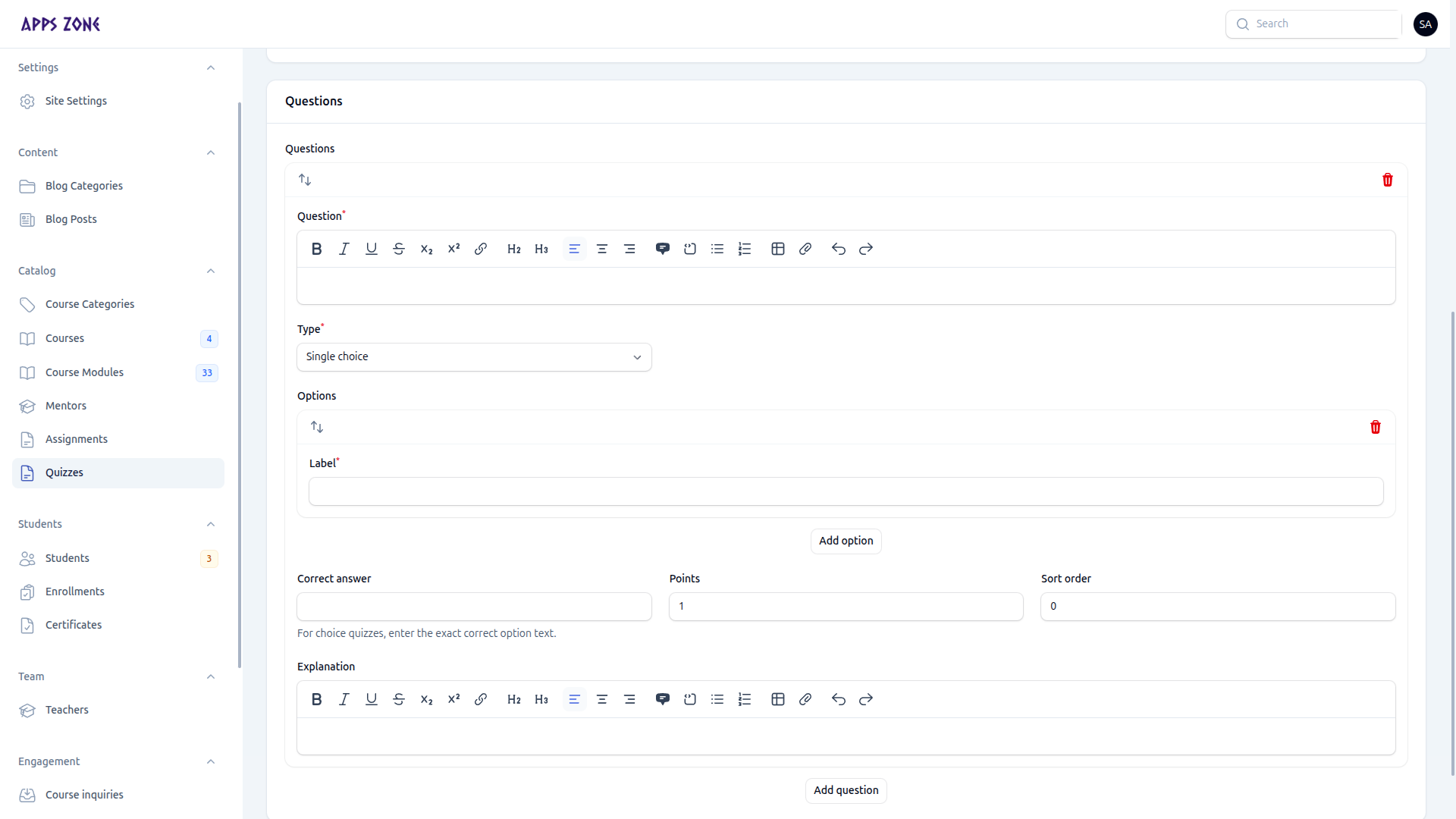
| Field | Notes |
|---|---|
| Question | Rich text |
| Type | Single choice, multiple choice, or the other QuizQuestionType values |
| Options | Nested answers for choice questions |
| Correct answer | Must match an option |
| Points | Weight of the question |
| Sort order | Display order |
| Explanation | Shown after marking |
- Create.
Open a quiz to inspect Attempts (score, passed, answers). You cannot edit a submitted attempt.