
Announcements
Open in AdminSend notices to selected students, with optional email and attachments.
Announcements appear in the student panel. Optionally also email a copy.
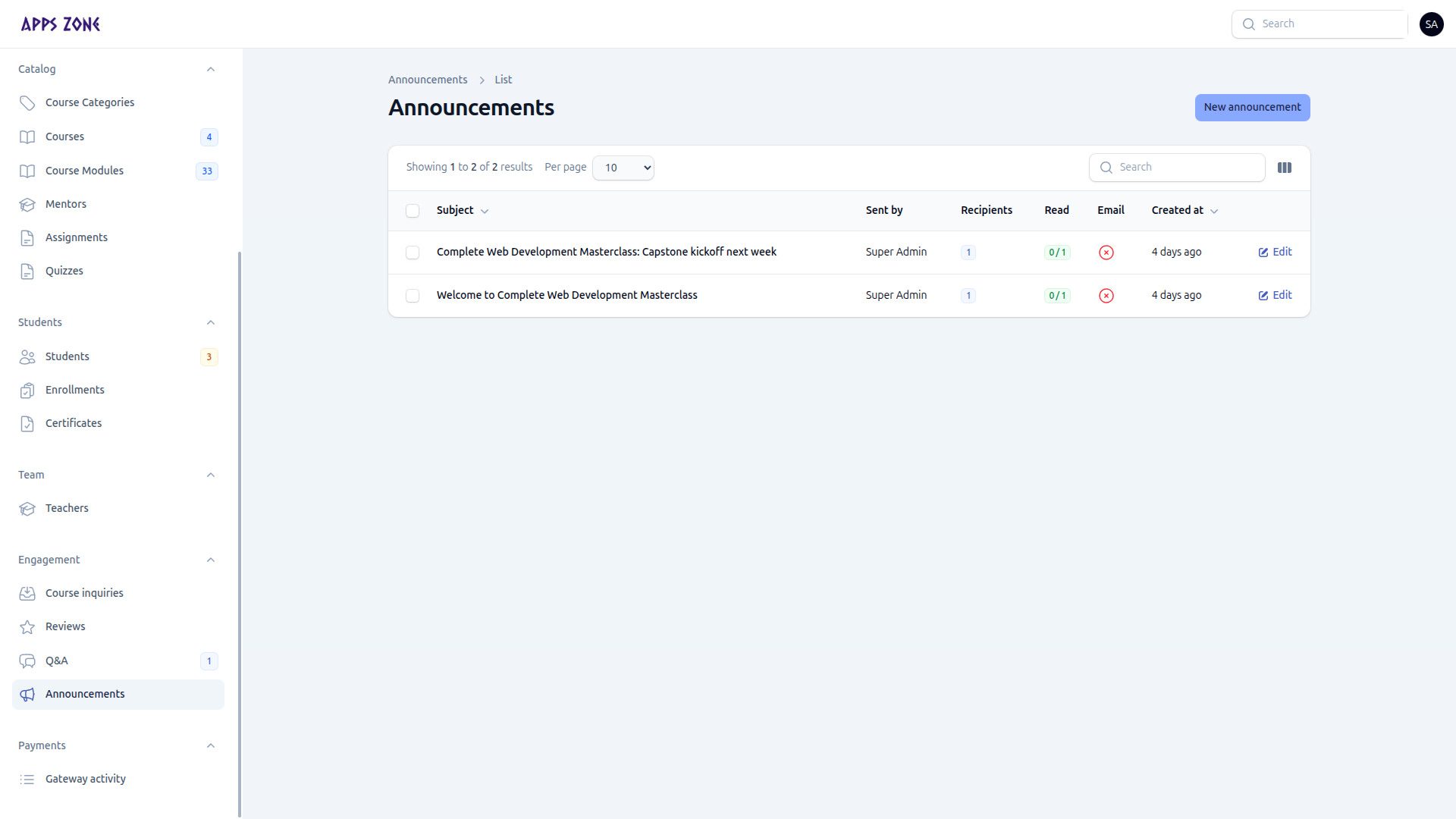
The list shows subject, who sent it, recipient count, how many have read it, whether email was sent, and created at.
Compose
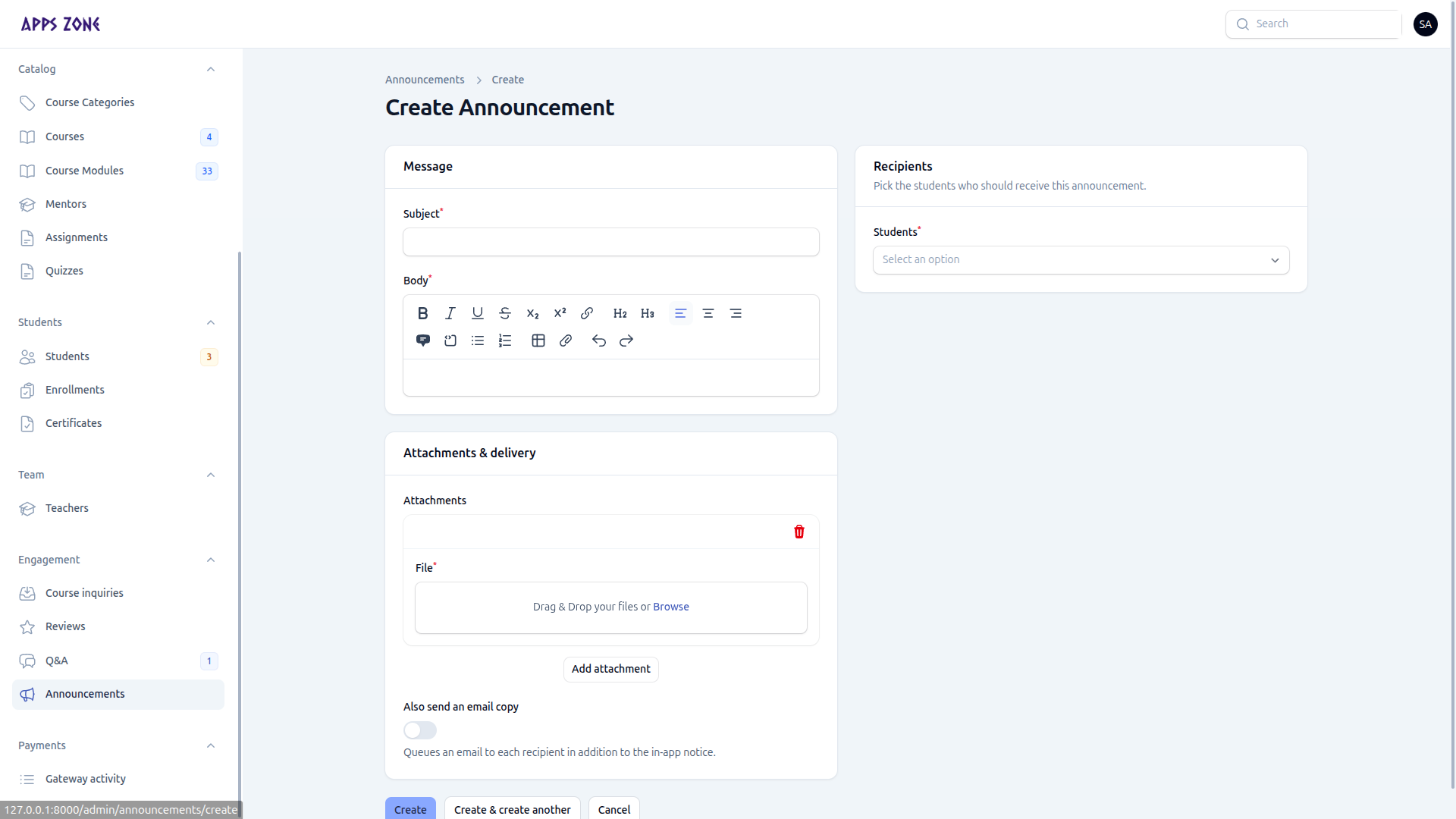
- New announcement.
- Message — subject and body (rich text).
- Recipients — one or more students.
- Attachments — private files students download through
/downloads/announcement-attachments/{id}. - Toggle Also send an email copy if they should get the notice in their inbox.
- Create.
Open the announcement to see Recipients and read receipts.
You can also send an announcement from the Students table bulk action without leaving that list.