My Courses
Open in Student PanelTrack enrollments, open lessons, continue payment, or cancel a pending request.
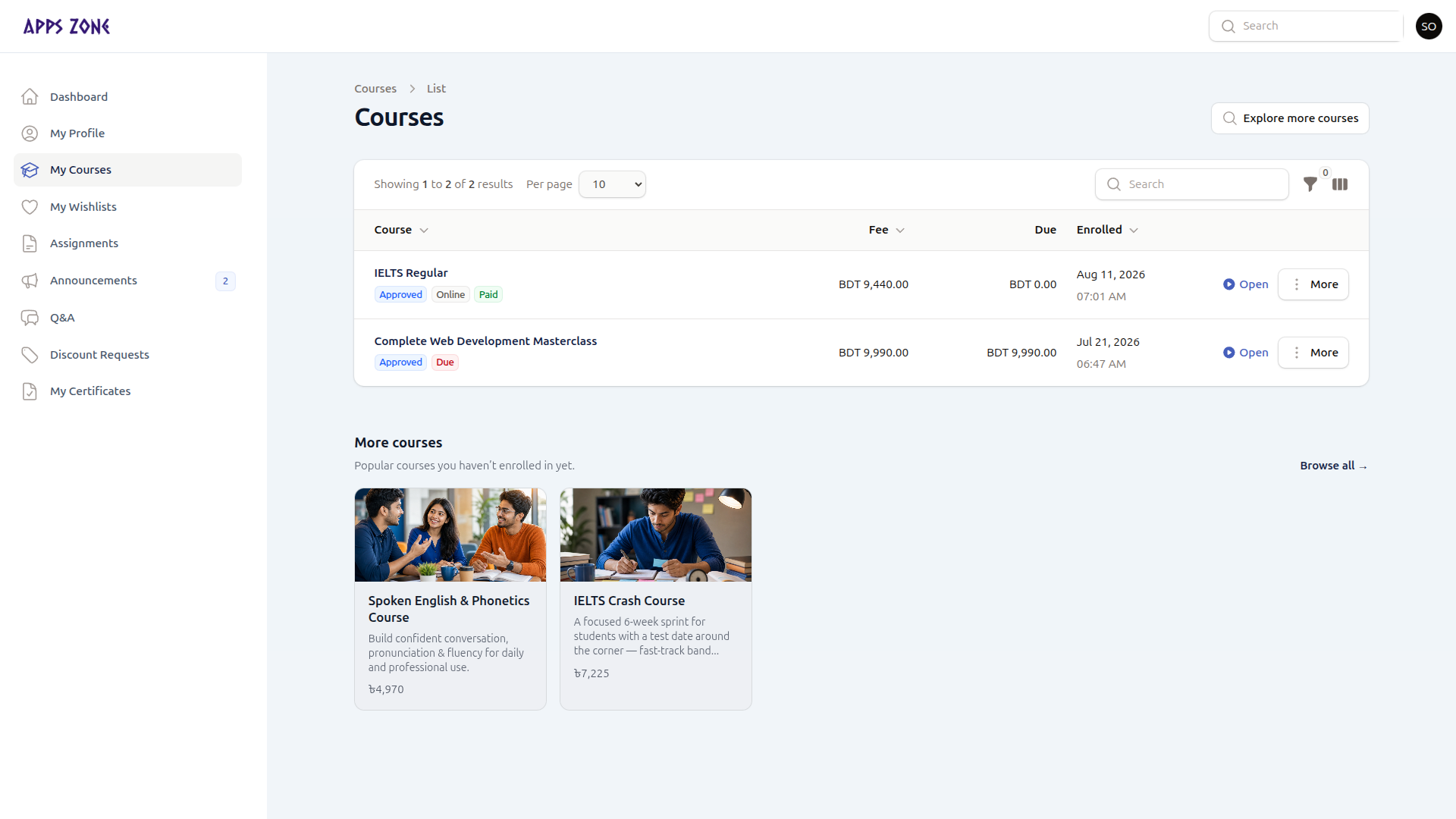
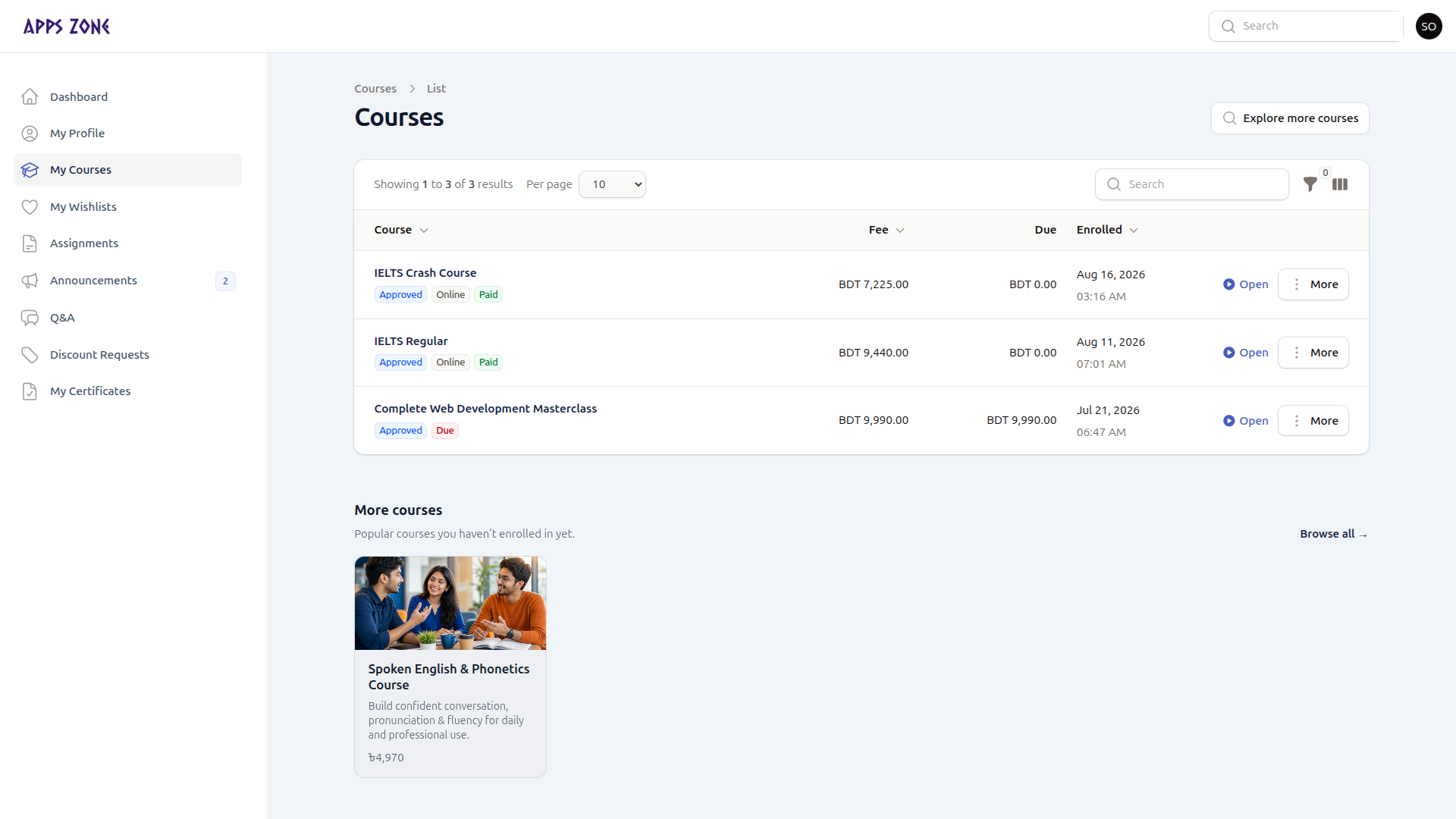
My Courses is the enrollment list. Each row is a course you requested. You cannot create a row here — enroll from the public catalog or a wishlist.
Columns
| Column | Meaning |
|---|---|
| Course | Title and thumbnail |
| Fee | Agreed fee at request time |
| Due | Remaining balance |
| Enrolled | Date and time of the request |
Filter by status: Pending, Approved (confirmed), Completed, Cancelled.
Row actions
| Action | When it appears | What it does |
|---|---|---|
| Open | Confirmed or completed | Opens the learning player |
| Continue payment | Online checkout still in progress | Restarts EPS |
| Cancel request | Pending | Withdraws the request so you can enroll again later |
| Rate | Confirmed, and you have not reviewed yet | Stars plus optional review — staff must approve it before it is public |
Explore more courses
Explore more courses (header) opens the public catalog in a new tab.
A More courses strip at the bottom of the page lists published courses you are not already enrolled in. Use it to start a new enrollment request.