
Discount requests
Open in Student PanelAsk staff for a percentage or fixed discount on a published course.
Discount Requests is in the student sidebar. Each row is a pricing request you opened. Staff negotiate from the admin console.
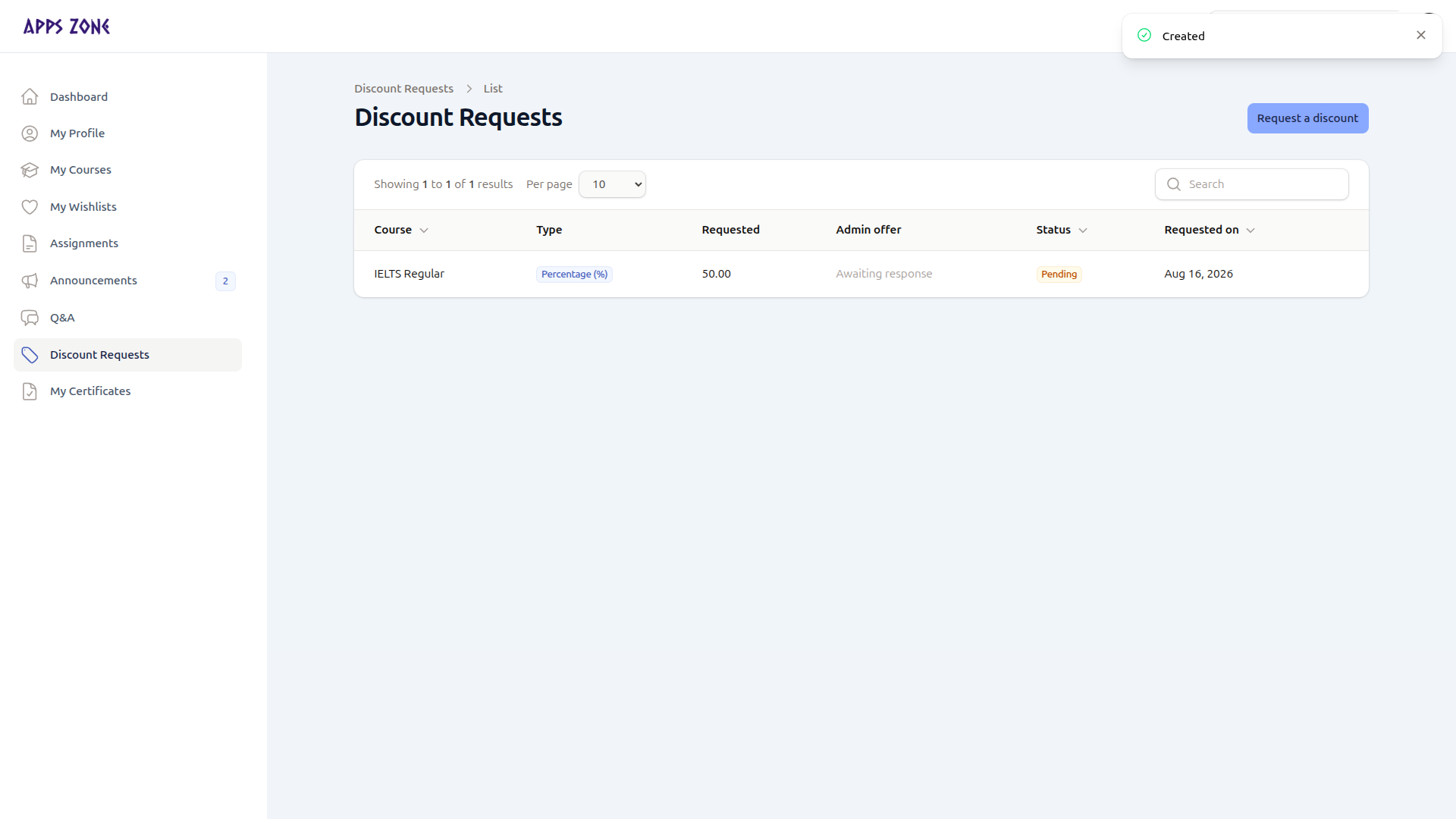
| Column | Meaning |
|---|---|
| Course | Target course |
| Type | Percentage (%) or Fixed amount |
| Requested | Value you asked for |
| Admin offer | Filled when staff respond — otherwise Awaiting response |
| Status | Pending, Approved, Rejected, or Expired |
| Requested on | Date you submitted |
There are no row actions. Watch Admin offer and Status after staff reply.
Request a discount
Request a discount opens the create form.
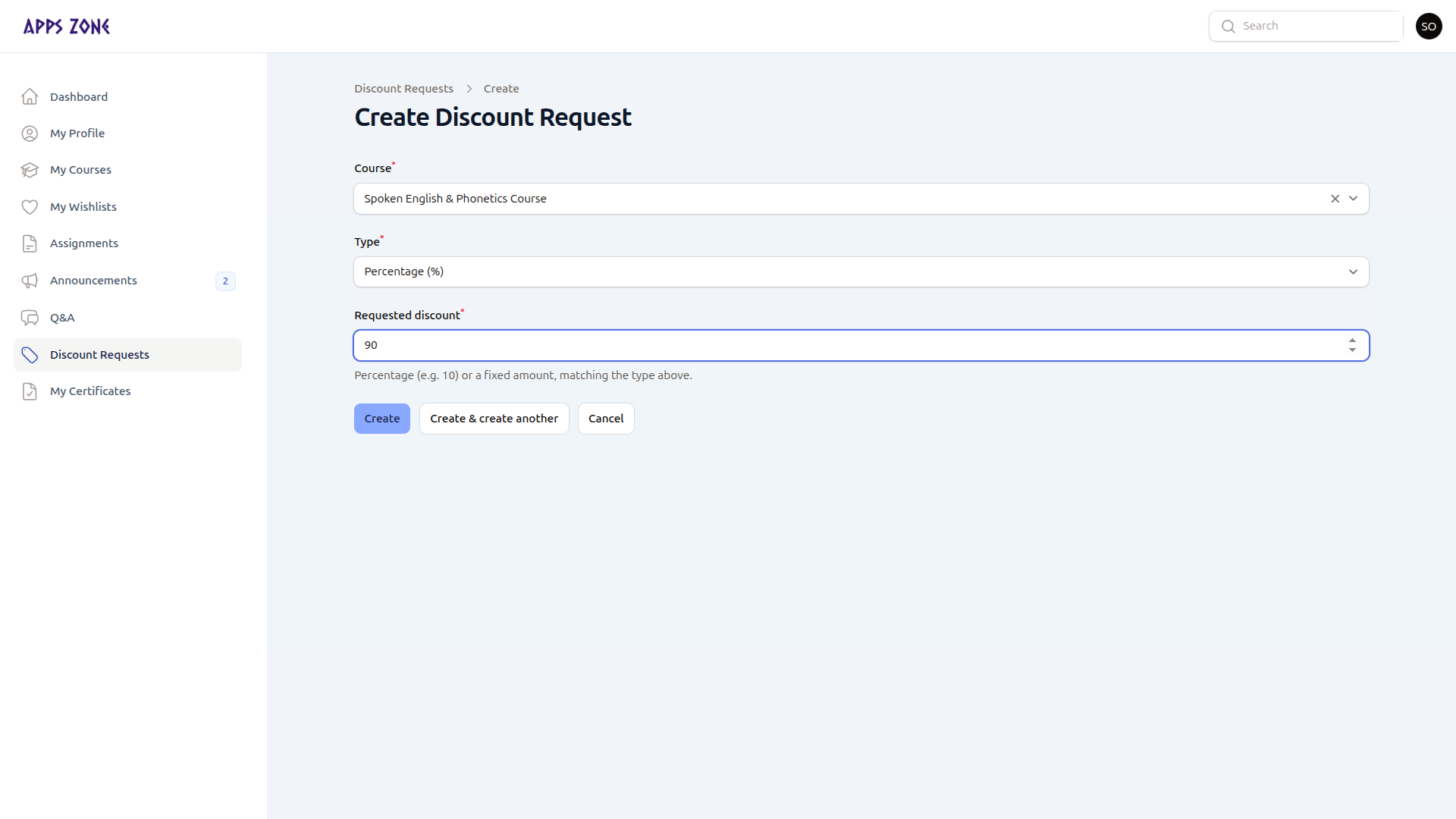
| Field | Notes |
|---|---|
| Course | Active courses |
| Type | Percentage or fixed amount (default percentage) |
| Requested discount | Number matching the type (for example 10 for 10%) |
Submit stores the request as Pending, initiated by you. If you arrived with ?course_id=, that course is preselected.
An Approved request does not enroll you by itself. Enroll as usual; staff apply the agreed fee when they confirm the enrollment.