
Assignments
Open in Student PanelRead briefs, submit work, and see scores for assignments on your courses.
Assignments lists work from courses you are enrolled in. There is no “new assignment” button — staff create assignments on the course.
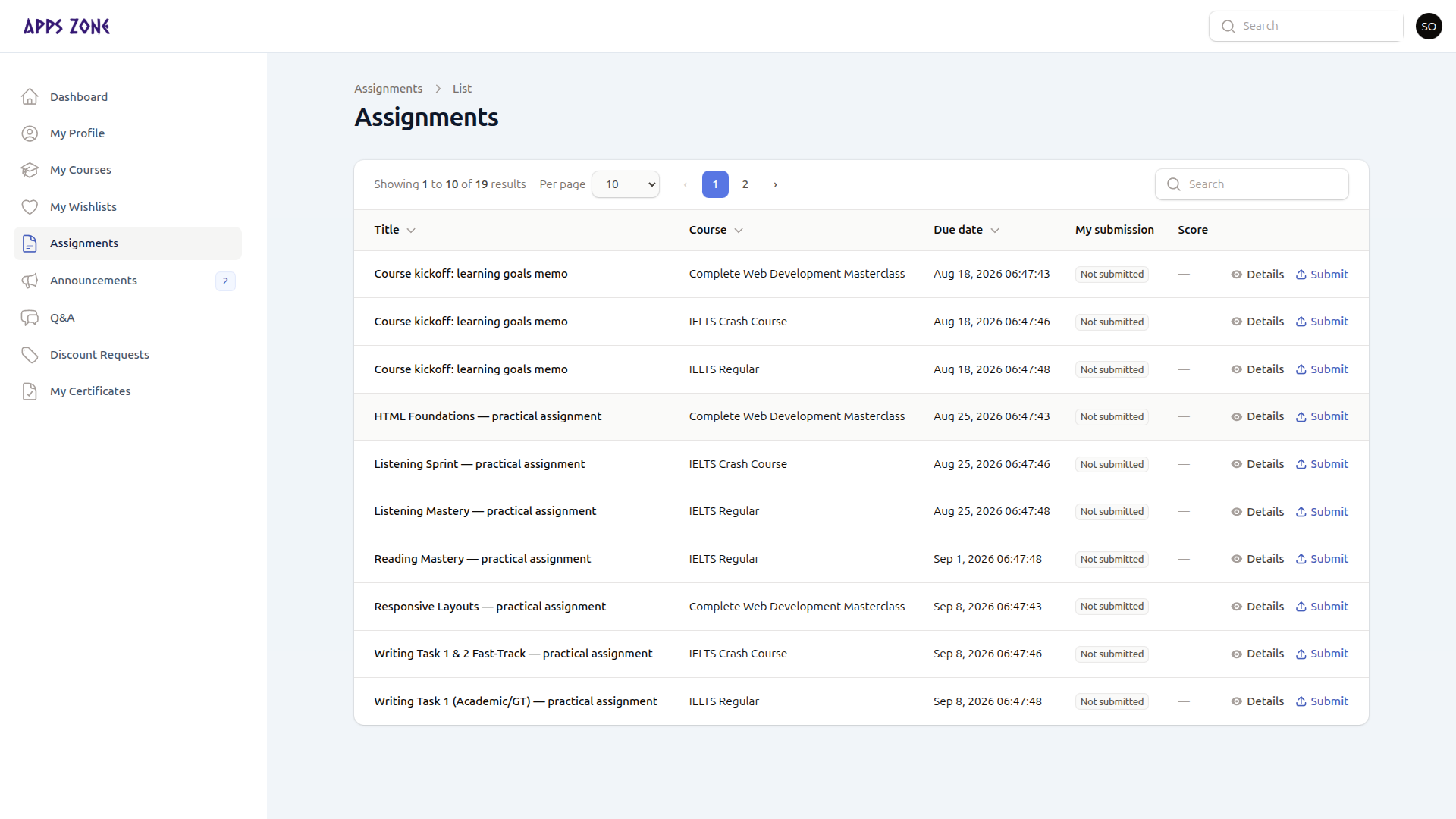
Columns
| Column | Meaning |
|---|---|
| Title | Assignment name |
| Course | Owning course |
| Due date | Red when past due; No deadline if empty |
| My submission | Not submitted, Submitted, Submitted late, Graded, or Closed |
| Score | Filled after a teacher grades you |
Sorted by due date, soonest first.
Details
Details (or the row) opens a modal with instructions, max score, whether late work is allowed, and a download link for the brief (authorized /downloads/...).
Your existing answer, attachment, late flag, score, and teacher feedback appear in My submission.
There is no screenshot of the details modal in this set; the fields above match the live infolist.
Submit or resubmit
Submit (or Resubmit) is available while the assignment still accepts work.
| Field | Notes |
|---|---|
| Your answer | Optional text |
| Attachment | Optional file on the private disk |
If you submit after the due date, the row is marked late and the notification says Submitted (late) — only when late submissions are allowed.