
Quizzes
Open this pageBuild lesson quizzes with questions, time limits, and passing scores.
Quizzes sit on a course lesson. Students take them in the learning player. Attempts are read-only. The list is scoped to courses you manage.
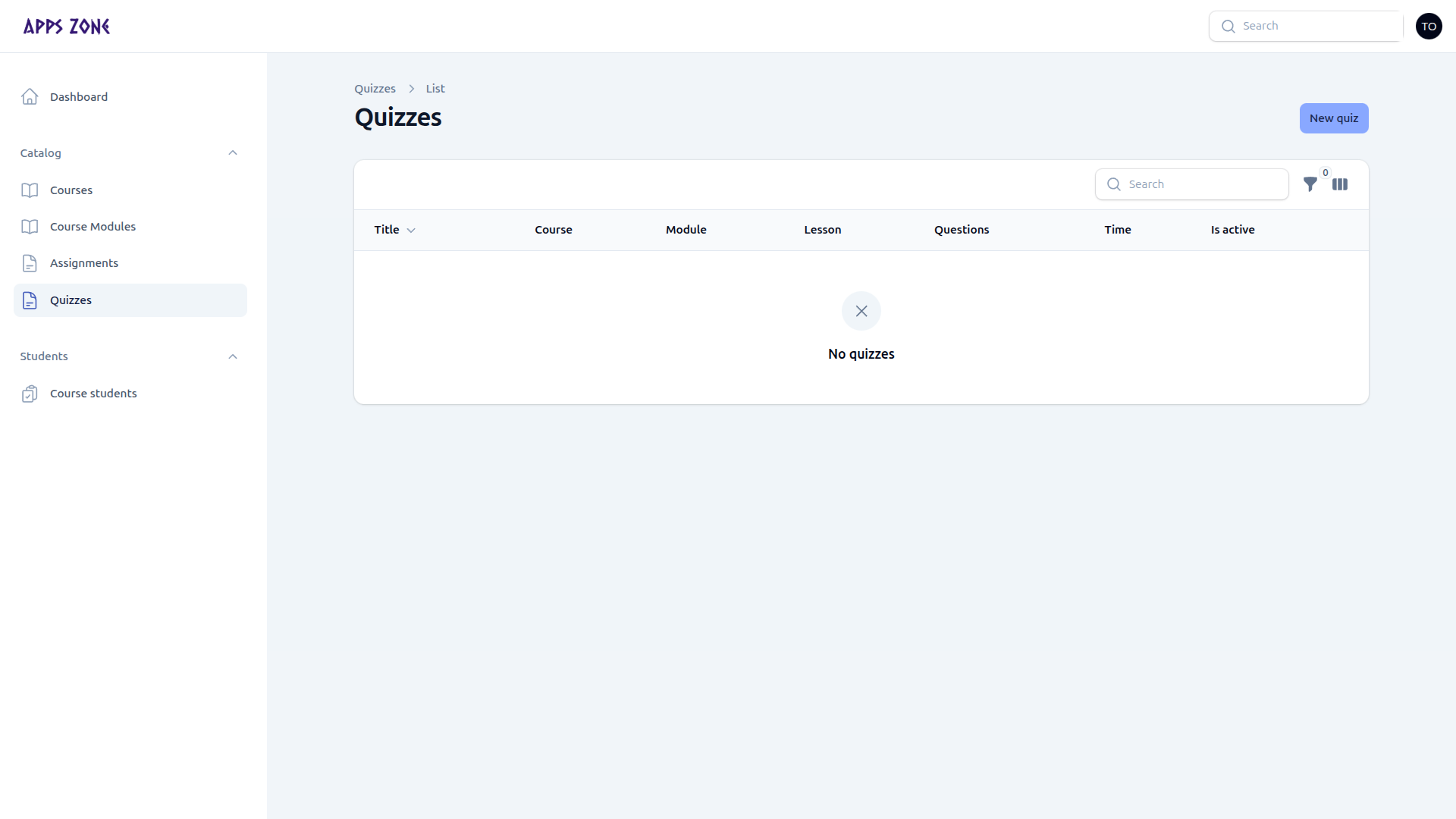
| Column | Meaning |
|---|---|
| Title | Quiz name |
| Course / module / lesson | Where it sits |
| Questions | Count of items in the repeater |
| Time | Time limit in minutes, if set |
| Is active | Visible to students |
New quiz opens the create form. There is no extra teacher screenshot of that form; fields match admin.
Create a quiz
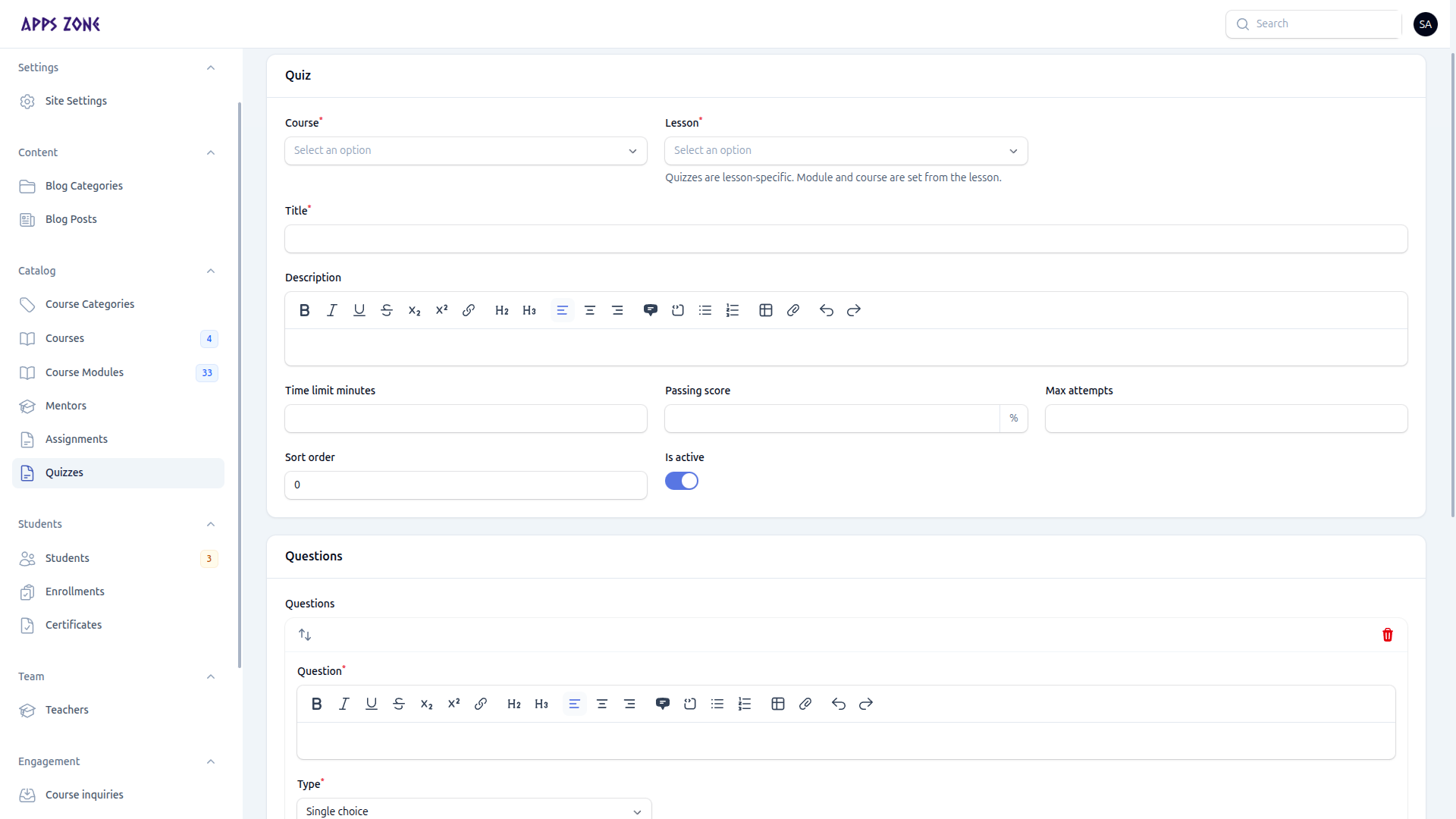
- Open Catalog → Quizzes.
- Set course, lesson (required), title, description, time limit (minutes), passing score (%), max attempts, sort order, and Is active.
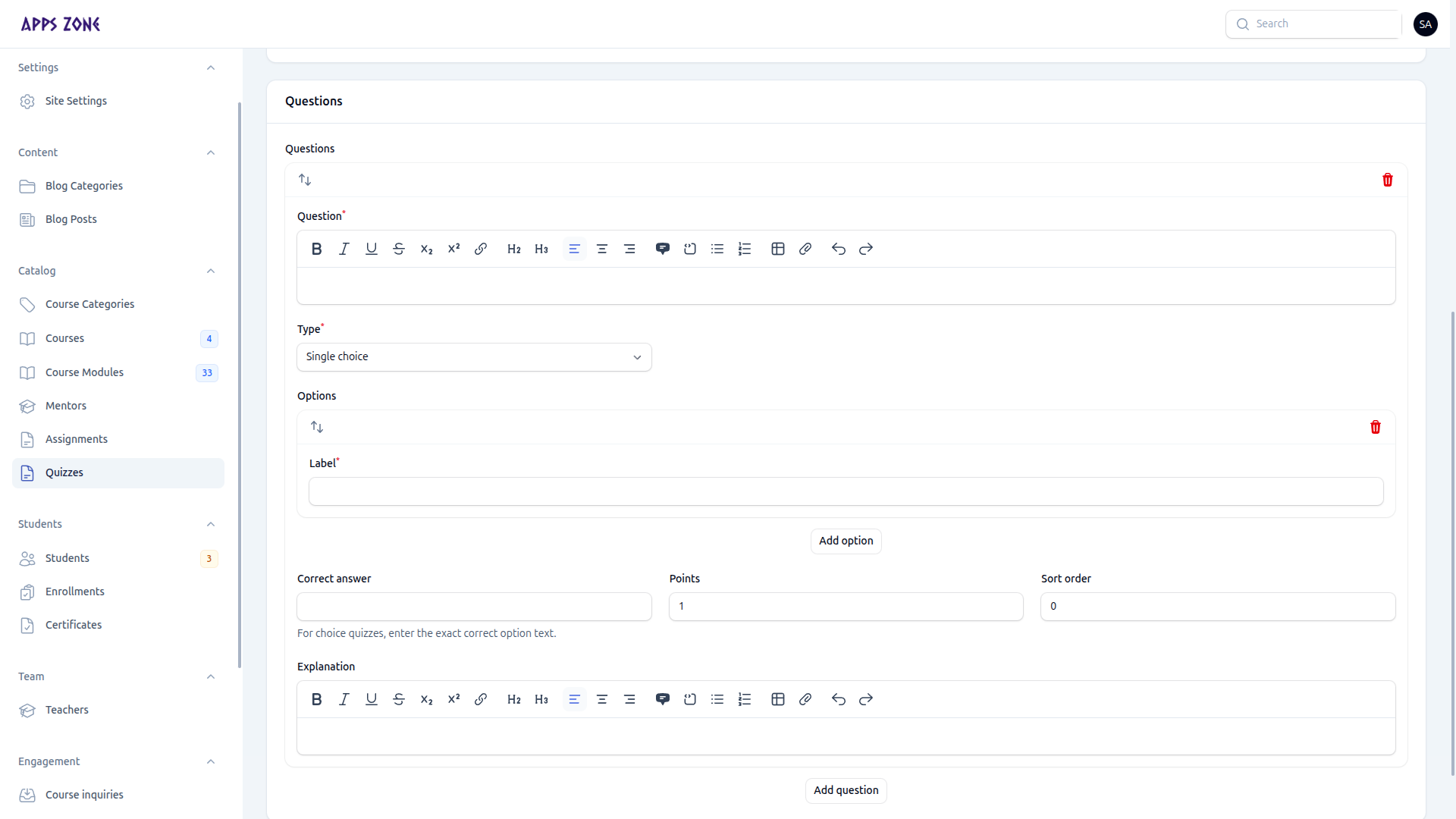
- Add questions in the repeater:
| Field | Notes |
|---|---|
| Question | Rich text |
| Type | Single choice, multiple choice, or short answer |
| Options | Nested answers for choice questions |
| Correct answer | Must match an option (auto-scored types) |
| Points | Weight of the question |
| Sort order | Display order |
| Explanation | Shown after marking |
Short-answer questions are not auto-scored.
- Create.
Open a quiz to inspect Attempts (score, passed, answers). You cannot edit a submitted attempt.