
Courses
Open this pageCreate and publish courses you will teach. You become the owner on create.
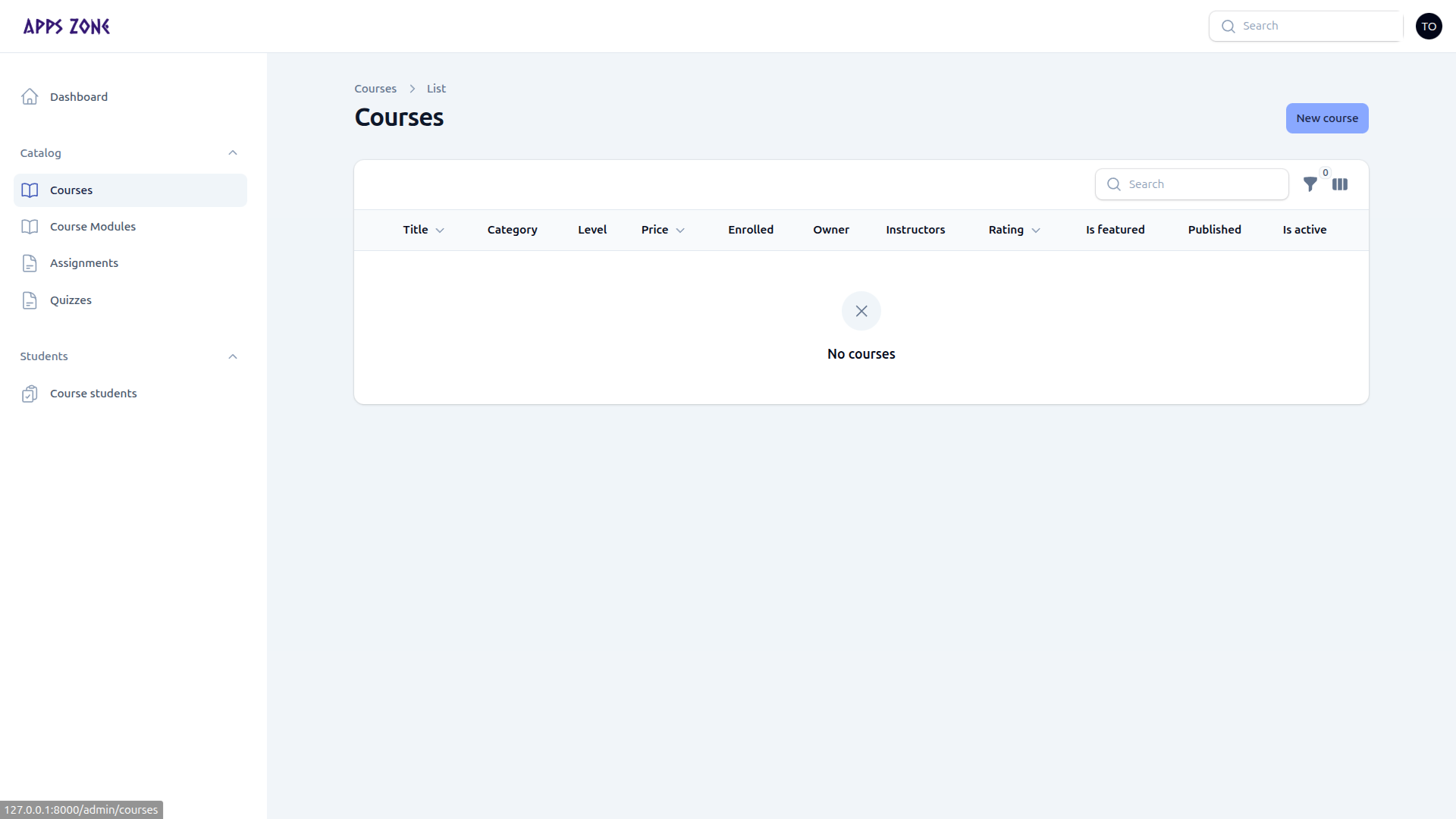
Courses are the catalog item students buy and the parent for modules, lessons, assignments, and quizzes. The list is scoped: you only see courses you own or are assigned to.
When a course is public
A course appears on /courses/{slug} only when both are true:
- Is active is on
- Published at is set and in the past
List
| Column | Meaning |
|---|---|
| Title | Catalog name |
| Category / level / price | Filters on the public site |
| Enrolled | Confirmed student count |
| Owner / instructors | Who can manage the course |
| Rating | Approved review average |
| Featured / published / active | Visibility |
The sidebar badge is the number of courses you can manage. Click New course to create.
Create a course
The form has six tabs for teachers. The Teachers tab is admins only — when you create a course, you are assigned as owner automatically.
Content
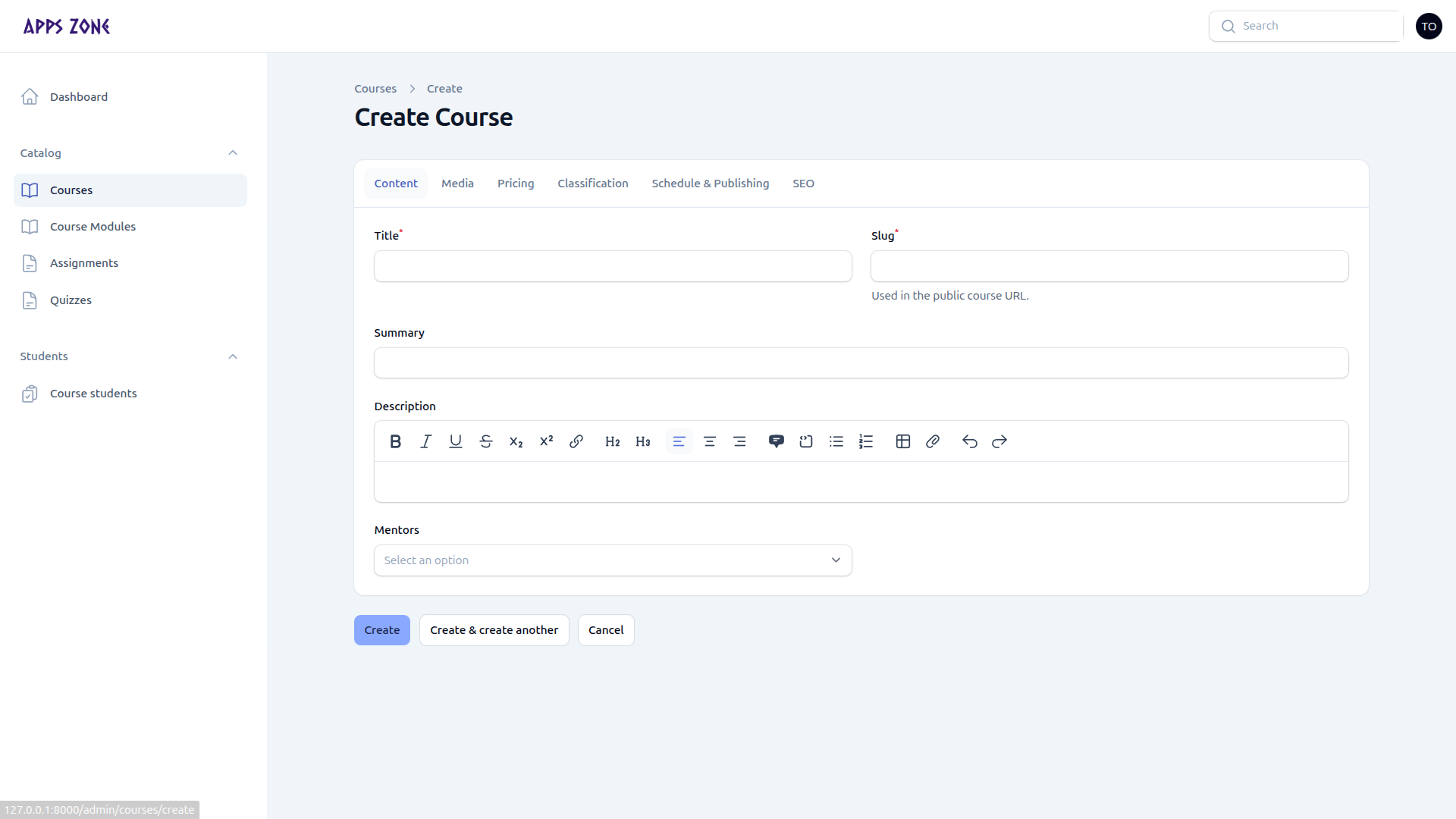
| Field | Notes |
|---|---|
| Title | Required; slug auto-fills on create |
| Slug | Public URL |
| Summary | Card text |
| Description | Full rich text |
| Mentors | Public-facing mentor profiles (not teacher logins) |
Other tabs (same form as admin)
There are no extra teacher screenshots for these tabs; the fields match the live course form.
| Tab | What to fill |
|---|---|
| Media | Thumbnail, optional icon (SVG preferred), overview video URL |
| Pricing | Online list price, optional discounted and on-campus prices, currency (usually BDT), discount badge |
| Classification | Category, level, language, duration, featured, highlights, certificate flag, outcomes, requirements, audience, FAQ |
| Schedule & Publishing | Dates, Is active, Published at (blank = draft) |
| SEO | Meta title, keywords, description, OG image, canonical URL |
Enrollment requests copy the effective (discounted, else list) price into Agreed fee.
After save
Add modules from the relation manager on the course, or open Catalog → Course Modules. Then attach lessons, assignments, and quizzes.
You cannot assign other teachers. Ask an admin to add instructors on the course Teachers tab.